Showing posts with label Utility Macros. Show all posts

Tuesday, March 5, 2013

Date/Time Stamping Report and SAS Server Page Results

One of the most under-appreciated features of the Macro Language is using it to package short/simple snippets of SAS code. Many programmers don't like to over-use macros (their terminology, not mine) arguing that:
  • why write a macro when the code that it generates is just as simple to write directly?
One example is including the date/time in a report (e.g., as a footnote). For example,

footnote "Run at %sysfunc(datetime(),datetime.)";

And in theory, they have a point - this is simple code to write.

My counter argument is that since it is simple to write, it is simple to package as a macro. My rationale for using a macro for this is that I have worked on far too many projects where someone discovers late in the development that, for example, the corporate standard for showing dates and times is different from what has been hard-coded in countably infinite pieces of code.

So at the beginning of any project I grab the generatedAt from my Macro Toolbox and adjust the default parameters for a given client/project based on their preferences. Then, if they change their mind, I only have to make the change in one place - the macro paramaters.

Here is a slighly modified version (my standard Toolbox header comments removed in the interests of brevity for this posting) of the code for my generatedAt ToolBox macro:

%macro generatedAt
      (prefix=Generated at
      ,dateFormat=worddate.
      ,separator=on
      ,timeFormat=timeampm8.
      );


 %if %length(&timeFormat) gt 0 %then
 %let timeFormat = %sysfunc(time(),&timeFormat.);
 %if %length(&dateFormat) gt 0 %then
 %let dateFormat = %sysfunc(date(),&dateFormat.);
 %let timeFormat = &timeFormat;
 %let dateFormat = &dateFormat;
 %if %length(&dateFormat)=0 or %length(&timeFormat)=0
     %then %let separator =;
     %else %let separator=%str( )&separator%str( );

 &prefix &timeFormat&separator&dateFormat

%mend generatedAt;

And here are some samples of the text it generates:
  • All the defaults:
    %put %generatedAt();
    Generated at 3:01 PM on March 4, 2013
  • Just the time:
    %put %generatedAt(dateformat=);
    Generated at 3:01 PM
  • Just the date (note how I also changed the initial text):
    %put %generatedAt(prefix=Generated on,timeformat=);
    Generated on March 4, 2013
  • Different formats:
    %put %generatedAt(timeformat=time.
                     ,dateformat=weekdate.);
    Generated at 15:01 on Monday, March 4, 2013
The code is pretty simple. But there are a few points I want to make about it (and the advantages of packaging it as a macro).
  • It is easy to use, for example, to include the date/time in a footnote (similar to the above example):
    footnote "%generatedAt";
  • I can specify the format for the date part and the time part, providing a lot more flexibility in how the date/time is displayed given how many different date and time formats SAS provides out of the box, along with what can be created using the date and time datatypes supported by the PROC FORMAT PICTURE statement.
  • If I only want a date, I just provide a blank/null value for the timeformat parameter.
  • Likewise, if I only want a time, I just provide a blank/null value for the dateformat parameter.
I use this macro on virtually every project for both reporting code (e.g., using the macro call as the text for a title or footnote statement), or to include the date/time of the generated output of SAS Server Pages.

Monday, February 18, 2013

Using DOSUBL to write Macros as functions

In my last post, DOSUB and DOSUBL - Data Driven Development, I mentioned one of the many uses of these very powerful new functions. I'd like to discuss another Use Case: using them to facilitate creating your own macros that work like functions.

Macros that need to return a single value, as opposed to generating code are often written as functions so they can be used, for example, as follows:
  • %let total = %getMax(data= . . ., var =  . . . );
or
  • retain  denom %getMax(data= . . ., var = . . . );
However if the macro needs to run some SAS code, it is not possible to call the macro this way since the generated code would be returned by the macro instead of the desired value. There are a number of work-arounds that many SAS programmers have used in this case, such as:
  • store the value into a macro variable that the calling program must know about;
  • save the value into a data set that the calling program must use to get the value;
  • use the %sysfunc macro along with the data access functions.
The DOSUB and DOSUBL functions provide another way to do this. They can be used via the %sysfunc macro to run the code. Consider the following real-life Use Case, which I use the Parameter File Maintenance (PFM) subsystem discussed in my upcoming e-book, SAS® Server Pages: Generating Dynamic ContentPFM is a web-based data entry facility that I've implemented on a number of projects to support managing the parameter files that drive the application. The getSurrogateKey macro is used as part of the update process to generate an analog to an auto-number surrogate key (something that many databases support with different names/terminology, but that SAS data files do not).

%macro getSurrogateKey
      (data = /* name of the dataset being updated */
      ,key =  /* name of surrogate key variable */
      );
 %local newkey;
 %if &&&key = . or &&&key = %then
 %do; /* generate a new surrogate key value */
   %let rc = %sysfunc(dosubl(
         'proc sql noprint;
           select cats(sum(max(&key),1))
           into:newkey from &data;quit;'
             ));
   %put NOTE: &key value of &newkey generated.;
   &newkey
 %end; /* generate a new surrogate key value */
 %else &&&key;
%mend getSurrogateKey;

The macro is called unconditionally by the update process and if the macro variable, from the Data Entry page (a SAS Server Page), for the key is missing, a new row is being added and this requires a new key value. The DOSUBL function is used, via %SYSFUNC) to run the PROC SQL code to get the next auto-number key value. Since DOSUBL is used, the macro execution does not return the SQL code to the current SAS session's input stack. Executing the macro returns:
  • the new key value, &newkey, for a new row.
  • the current key value, &&&key, for an existing row.
One final note about this example: it takes advantage of functionality introduced in the M1 realease of 9.3. In the M0 release, macro variables created in the code called by DOSUB/DOSUBL are not available. Returning macro variables and their values was added with the M1 release.

Tuesday, January 22, 2013

Error Handling in Utility Macros

Dealing with errors is always problematic. It can be particularly challenging in utility macros. Does every macro need to check for every possible error? Or should a developer assume some level of error checking has been done by the calling application, program or macro?

My view is that assuming a certain level of error checking by the calling application, program or macro is reasonable; but that one should still do a reasonable level of defensive programming.

For example, consider the generateOptionTag macro that I have mentioned in a number of posts. It creates a select tag from data in a SAS data set. But suppose the data set, or the variables for the coded value, or the label for the select tag, don't exist?

The minimalist defensive solution is to just exit the macro without generating the select tag. But the user is left with a user interface page that is incomplete/wrong. And since the user, in this case, is almost certainly not a developer, determining exactly what additional messages or diagnostics are appropriate can be challenging.

The approach that I like is to make sure the user knows that an error happened and, at the same time, give them enough information so they can alert the right folks.

Both the Stored Process Server and SAS/IntrNet Application Server programs will display a message to the user if an error is encountered. But since defensive programming has prevented a SAS error, the issue is how can we force that message without generating a SAS error? Reviewing the SAS knowledge base article Tips to remove the Show SAS log button if a SAS® Stored Process executes with an error suggests a simple solution: set the value of the SYSCC macro variable to a value larger that 4.

But we still need to make it easy for the user to find the error. That is where Using NOTE, WARNING, ERROR in Your Program's Generated Messages can help.  You can produce an error message that provides some details and since it will be highlighted in the SAS Log, it is easy to find.

So here is a typical snippet of code that illustrates this technique:

%let syscc=256;
%put ERROR: The specified data set, &data, is not available.;
%return;

The %return statement stops the currently executing macro and returns control to the calling macro or program.

And in a SAS Server Page utility macro that is generating a user interface, you can also generate a mailto hyperlink to make it easy for the user to report the error. Something like:

Email the <a href="mailto:developer-email?Subject=Error Message">developer</a> about the error.

can make it easy for the user to report the error.

Monday, January 14, 2013

Remembering User Choices

In my Chapter 2 of my ebook (SAS® Server Pages: Generating Dynamic Content) I show several examples of reporting functionality that use Stored Processes and SAS Server Pages on the SAS Portal where the user's choices are saved. As shown in the example screen shot, upon logging into the Portal and then selecting the reporting tab, the user's last report choice is remembered and submitted. The box on the left is a select tag (generated by the generateOptionTag utility macro) that uses the size option so multiple choices are displayed. This select tag is populated using the parms.report_list_view data set. The variable Report_Key is the value of the select tag and Report_Description is the label. Thus, remembering the user's choice is simply a matter of saving the value of Report_Key on the server.

The following simple data step saves the user's report choice so that it is available later in the same browser session; as well as the next time they log in (even if it is days later).

data profiles.&_metauser._report;
  Report_Key=&Report_Key;
run;

This code is included in the report driver macro so that whenever the user makes a choice, it is saved. The Stored Process Server provided macro variable _metauser is used to identify the user (note that if the SAS/IntrNet Application Dispatcher is being used, _rmtuser would be used instead of _metauser).

Using the following utility macro in the SAS Server Page that generates the UI allows the page to remember the user's last choice.:

%macro getReportKey;
 %local dsid rc;
 %let dsid=%sysfunc(open(profiles.&_metauser._report));
 %if &dsid=0 %then %return; /*no saved choices dataset*/
 %let rc=%sysfunc(fetch(&dsid));
 %if &rc=0 %then %sysfunc(getvarn(&dsid,1)); /* data set has a saved choice */
 %let dsid=%sysfunc(close(&dsid));
%mend getReportKey;

And then you only need to include code like what is shown below in the SAS Server Page:

%let Report_Key = %getReportKey;
.
.
.
%generateOptionTag
        (data = parms.report_list_view
        ,var = _report_key
        ,name = report_key
        ,selected = &report_key
        ,label = report_description
        ,otherOptions = size=30 onchange="submit();"
        )

That is really all there is to it.

Needless to say there are lots of variations and extensions of this technique:
  • This example has a dedicated data library (profiles) that has one data set for each user. A database or SAS/SHARE could be used so that the data is stored in a single data set with a row for each user.
  • Multiple data sets can be saved for each user if different kinds of data, or multiple values, need to be saved (in a future blog posting I will discuss the example in my book that uses multiple checkboxes, instead of a select tag). And, of course, there are any number of alternative data structures that could be used.
  • If the user id (_metauser) has special characters in it (e.g., /, \ or @), some siimple macro logic could be used to map it to a unique value that is a valid SAS name.
  • The macro could be paramaterized (I kept it simple for this example).
I have also used this technique with Web Report Studio using an Information Map as discussed in this example so that the user's choices are remembered for Web Report Studio reports. This can be particularly helpful when there are multiple reports and users don't want to have to reselect the report parameters for each report.

Sunday, January 6, 2013

A sample Dual Listbox Selector SAS Server Page

In my Section 5.3.4 of my ebook (SAS® Server Pages: Generating Dynamic Content) which describes the generateOptionTag utility macro, I reference this blog entry as an example of using  a dual listbox selector to allow for multiple selections.  See the example screen shot (at right) that uses the sashelp.class data set.

This sample SAS Server Page makes use of a number of features of PROC STREAM, some JavaScript code, and two utility macros. Before I describe the details of this sample, please feel free to give it a try on my demo server using the Stored Process Server (the example also works for the SAS/InterNet Application Dispatcher):

http://demos.hcsbi.com:8080/SASStoredProcess/guest?_program=/sspebook/sasServerPage&page=dualListBox

To move items you can either:
  • double click them
  • single click and then use the arrows to move the selected items
  • move them all use the double arrows
  • you can also move a selected up or down in the list
Then click the Review Name/Value Pairs button to see a list of the items in each box.

Now lets take a quick look at this sample SAS Server Page. Note that this is just a sample. It might make sense to create a template (or a macro) that can have parameters passed to it. For now, I wanted to keep it simple, thus this sample.

The readfile option of the &streamDelim facility of PROC STREAM is used to define the JavaScript routines that are used to move the items. We use readfile here so the text is included in the page rather than assuming it is available on the web server.


Next we set up the form. Note the following:
  • Two macro variables are defined since we will need to refer to the names of the left (i.e., Available in this case) and right (i.e., Selected in this case) select tags numerous times.
  • The onSubmit JavaScript hander is used to make sure all the items in both select tags are selected.
  • The _debug value of 1 generates the display of the name value pairs passed to the stored process.


Use an HTML table to control the layout of the two select tags and the icons/images that are used to move items.


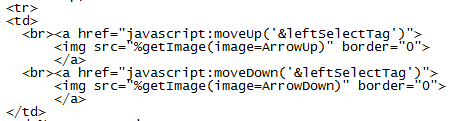
Use the getImage utility macro (discussed in a previous blog, The getImage macro: embedded images using text strings) to generate the images for the up and down arrows in the first table column.


The generateOptionTag macro is used to create the left hand select tag in the second table column. It is populated from the students in the SASHELP.CLASS data set who are 13 years old or younger. Note that the otherOptions parameter of the macro is used to pass in extra paramaters to be included on the select tag:
  • The size option to specify that the select tag should be 20 rows long
  • The mulitple option to specify that multiple selections are allowed (part of the point of a dual list list box selector)
  • A style attribute to define the width
  • the onDblClick JavaScript handler so that when a user double clicks on an item it is moved from the left select tag to the righ select tag.


The getImage macro is used to generate the images/icons (in the third table column) used to move items:
  • Move all the items from the left to the right select tag
  • Move only the selected items from the left to the right select tag
  • Move only the selected items from the right to the left select tag
  • Move all the items from the right to the left select tag


Just as for the left select tag, the generateOptionTag macro is used to create the right hand select tag in the second table column. It is populated from the students in the SASHELP.CLASS data set who are older tha 13.


The last column is similar to the first one - except the the Move Up and Move Down images are for the right hand select tag


The final bit of HTML closes the table, generates the submit button, closes the form and the HMTL page.


I plan to write a future blog posting to generalize/parameterize this functionality and will include a link to a zip file of the components. In the meantime, please feel free to comment and ask questions about this example.

Tuesday, January 1, 2013

The getImage macro: embedded images using text strings

A little known HTML trick is that you can embed images in an HTML file using a Base 64 representation of an image. For example, this folder open image:

is generated using the following text in an HTML page:

<img src="data:image/png;base64,R0lGODlhEAAQAKL/AP//////
AMDAwMDAwICAgICA\AAAAAAAAACH5BAEAAAIALAAAAAAQAB
AAAANFKEpMpjAKAkYYTkJqu2sbII6kSCzApXbqM1VrPLiUWpYGFwB
F7/+51ID3KwaHReNrlwS+iM0CTRTtTavSjWHL7W41YE0CADs=">

There are a number of reasons why you, as a developer, might want to use base 64 encoding of images in your web pages, for example:
  • you don't have control over the images directory of your web server and you can't add images.
  • you don't want to have to deal with the actual url path to the image when creating an html file (either static or dynamic).
    • this is a bigger issue for html files not served via a web server (e.g., they are access via the file system and thus easily moved around)
  • minimizing round trips to the server when the page is accessed
There are a number of web sites that you can use to convert an image to its it base 64 encoded value. A simple search will find any number of tools you can use to do this. For example:

https://www.google.com/search?q=base64+encoded+image

As a best practice you should limit the use of base 64 encoded images to small images where the base 64 text is not too long. Note that lines feeds are allowed in the HTML text).

The getImage macro is a utility macro designed to be used to generate such images in SAS Server Pages. See my SAS Press e-book, SAS® Server Pages: Generating Dynamic Content, for more information about SAS Server Pages. Just use the macro in a SAS Server Page as follows to insert an image:
  • <img src="%getImage(image=OpenFolder)">
You can download a zip file containing the macro, along with:
  • SAS transport file of a data set containing a number of sample images
  • a sample program illustrating the use of the macro
My next blog entry will use this macro in a sample dual listbox SAS Server Page.

Thursday, April 5, 2012

Simple Utility Macros and SAS Server Pages

So much for plans . . .

Today's post was supposed to be a mail-merge example from Chapter 4 (included in the preview copy available at SAS Global Forum 2012) of SAS® Server Pages: Generating Dynamic Content.

In the book that example was not Web-based. I started with a simple example: generating a letter for a specified observation, and built on it. I had planned to something similar here but packaged for the Web - using it to illustrate some important features of PROC STREAM. My original plan was to just hard code the observation number - but I decided that was not a good idea and so I decided to:
  1. Allow the observation number from the SASHELP.CLASS data set for which the letter is to be generated to be passed in as a parameter.
  2. Have a default value used if no value is specified.
  3. That then led to needing to confirm that the value was an integer between 1 and the number of observations in the data set (19 in this case).
  4. Which then led to a simple utility macro that does that validation and assigns a default value.
Just as with any SAS application, I've discovered as I've used SAS Server Pages on numerous projects that its a good idea to create simple/short utility macros that perform a specific function. So here is the code for my macro that I can use in a SAS Server Page to validate the observation number.

%macro verifyInteger
  (value= /* the value to be verified as an integer */
  ,default=1 /* default if null */
  ,min= /* if specified, the minimum allowed value */
  ,max= /* if specified, the maximum allowed value */
  );

%let value =
     %sysfunc(coalescec(%superQ(value),&default));
%if %sysfunc(notdigit(%superQ(value)))
    %then %let value=1;
%if %length(&min) gt 0 and &value lt &min
    %then %let value = &min;
%if %length(&max) gt 0 and &value gt &max
    %then %let value = &max;

&value /* return the value to the input stack */

%mend verifyInteger;
 
In my code, I can just add the following statement:
 
%let letterObs = %verifyInteger(value=&letterObs
                               ,min=1
                               ,max=19
                               ,default=1
                               );
 
And before ending this post, just a few comments about this macro and how I am using it:
  1. Note the use of the NOTDIGIT function to validate that the value contains only integers.
  2. I've hard-coded the value of the max parameter on the call because I know the data set only has 19 observations. I could have used the SCL data access functions to get the value if it was unknown.
  3. While it is true that I could define a parameter for a stored process that forces the value to be an integer, since I want these to work for the SAS/IntrNet Application Dispatcher as well, that is not an option. In addition, since I will typically want to use my generic sasServerPage and runMacro stored processes (also runnable as SAS/IntrNet Application Dispatcher programs), having the constraints on the parameter value is not really an option.
And I'll get back on track with my next blog posting - the SAS Server Page mail-merge example. The revised schedule can be seen using the links from my last blog post: